Highspot
Community login redesign
A ground-up redesign of the Highspot Community login and onboarding experience, replacing a confusing, system-driven flow with a clear, user-centered path to access across all user types.
UI/UX Design · AI-Assisted Design

The ask
Redesign the Spark Community login and onboarding experience to reduce confusion and create a clear, intuitive path to access.
The existing flow required users to choose between internal account types before signing in, using terminology that wasn’t meaningful to most users. Instead of quickly accessing their account, users were forced to interpret unfamiliar labels, leading to hesitation, incorrect choices, failed login attempts, and drop-off. Key moments like password recovery and account recognition were also unclear, adding friction at a high-intent entry point.
The goal was to shift the experience from a system-driven flow to a user-centered one by aligning with how people actually think: Do I have an account, and how do I log in?
Improvements needed:
The existing flow required users to choose between internal account types before signing in, using terminology that wasn’t meaningful to most users. Instead of quickly accessing their account, users were forced to interpret unfamiliar labels, leading to hesitation, incorrect choices, failed login attempts, and drop-off. Key moments like password recovery and account recognition were also unclear, adding friction at a high-intent entry point.
The goal was to shift the experience from a system-driven flow to a user-centered one by aligning with how people actually think: Do I have an account, and how do I log in?
Improvements needed:
- Simplify decision-making by removing internal terminology and reducing unnecessary branching
- Introduce account recognition to guide users to the correct path based on their email
- Prioritize SSO intelligently while still supporting email/password as a clear fallback
- Improve clarity in critical moments like password reset and account recovery
- Create a cohesive onboarding flow that supports both new users and existing Highspot customers
- Reduce friction at entry points to increase successful login completion and overall engagement
The outcome aimed to create a faster, more confident login experience that improves access, reduces support burden, and better supports community growth.
Existing flow
The existing login flow required users to choose between unclear account types before signing in, creating confusion at a critical entry point. Without clear guidance or account recognition, many users selected the wrong path, struggled to recover passwords, or abandoned the process altogether. This fragmented experience made access feel harder than it should be.
The existing login flow required users to choose between unclear account types before signing in, creating confusion at a critical entry point. Without clear guidance or account recognition, many users selected the wrong path, struggled to recover passwords, or abandoned the process altogether. This fragmented experience made access feel harder than it should be.

Redesigned user flows
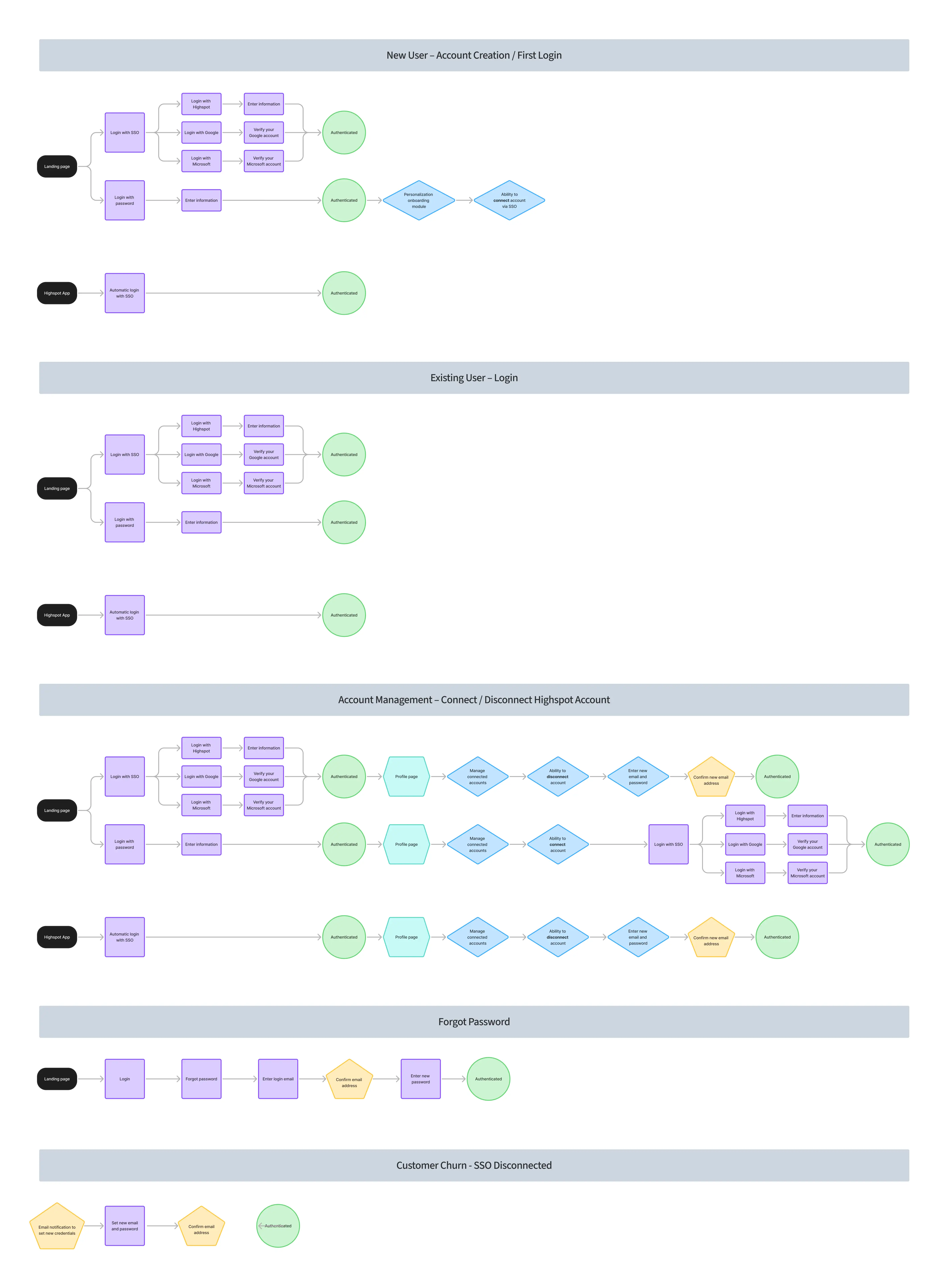
To address the friction points in the existing experience, I mapped out a comprehensive set of user flows covering every login scenario: new account creation, existing user login, account management, forgot password, and customer churn. This ensured every path to access was intentional, clearly defined, and accounted for before a single screen was designed.
To address the friction points in the existing experience, I mapped out a comprehensive set of user flows covering every login scenario: new account creation, existing user login, account management, forgot password, and customer churn. This ensured every path to access was intentional, clearly defined, and accounted for before a single screen was designed.
The designs
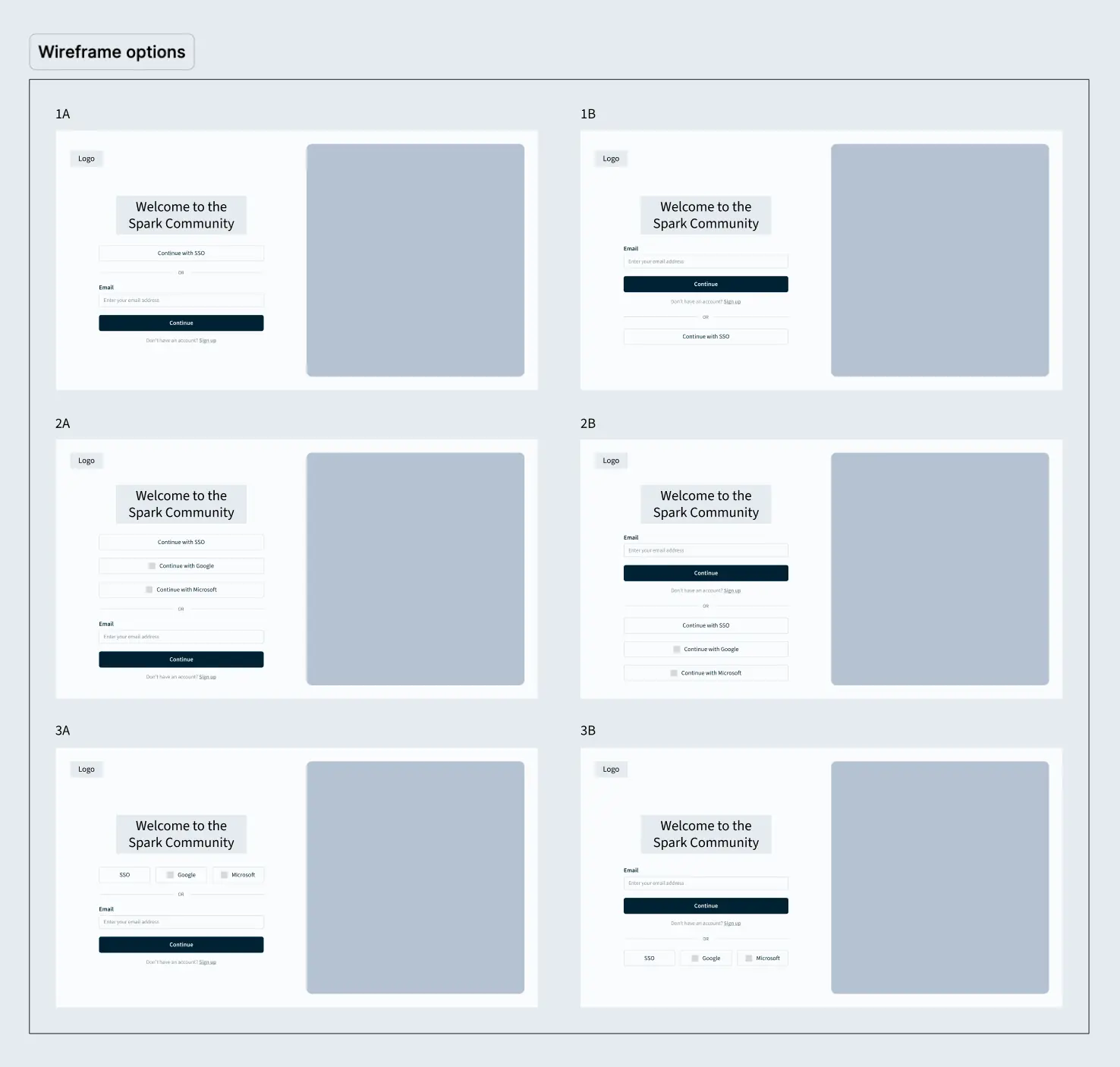
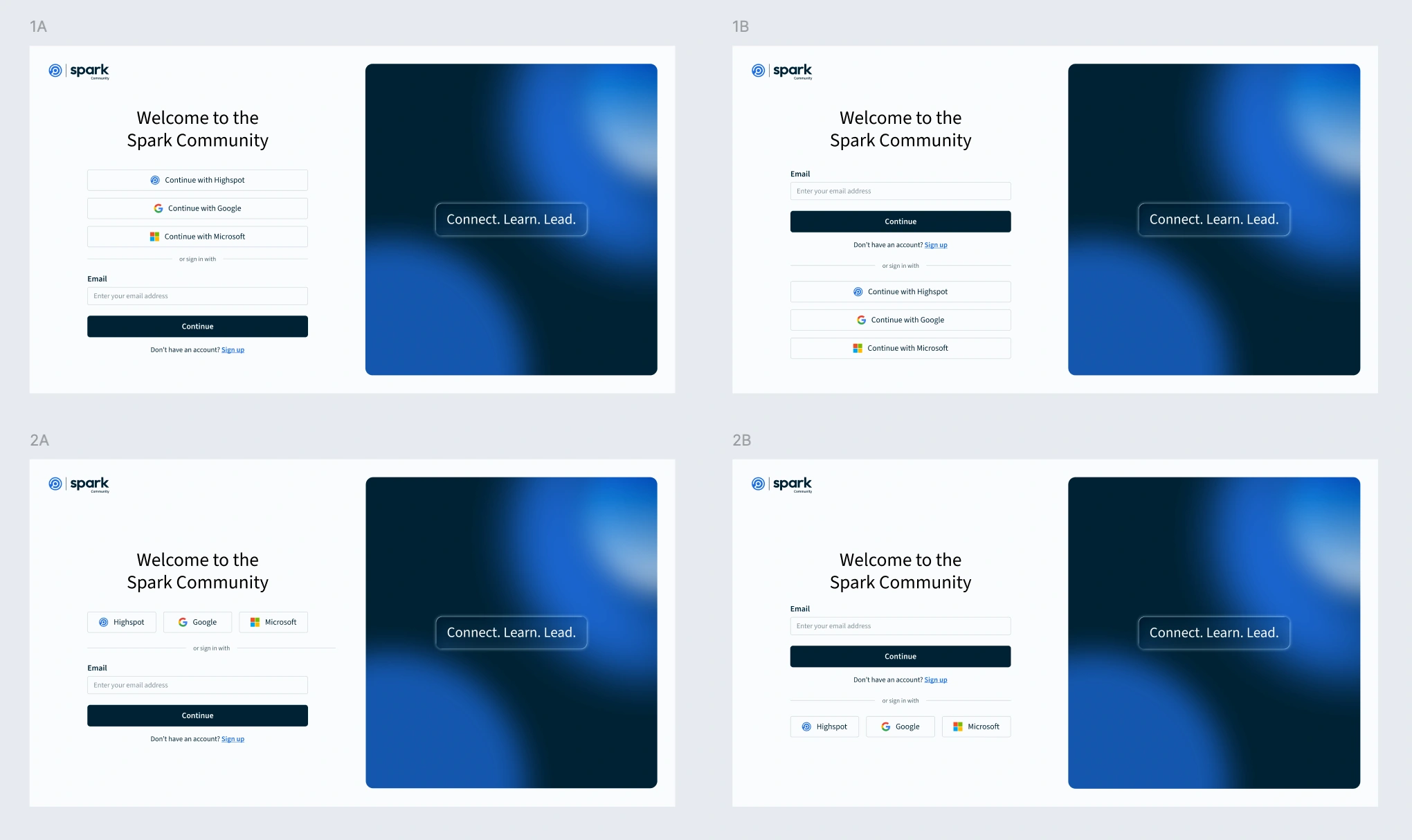
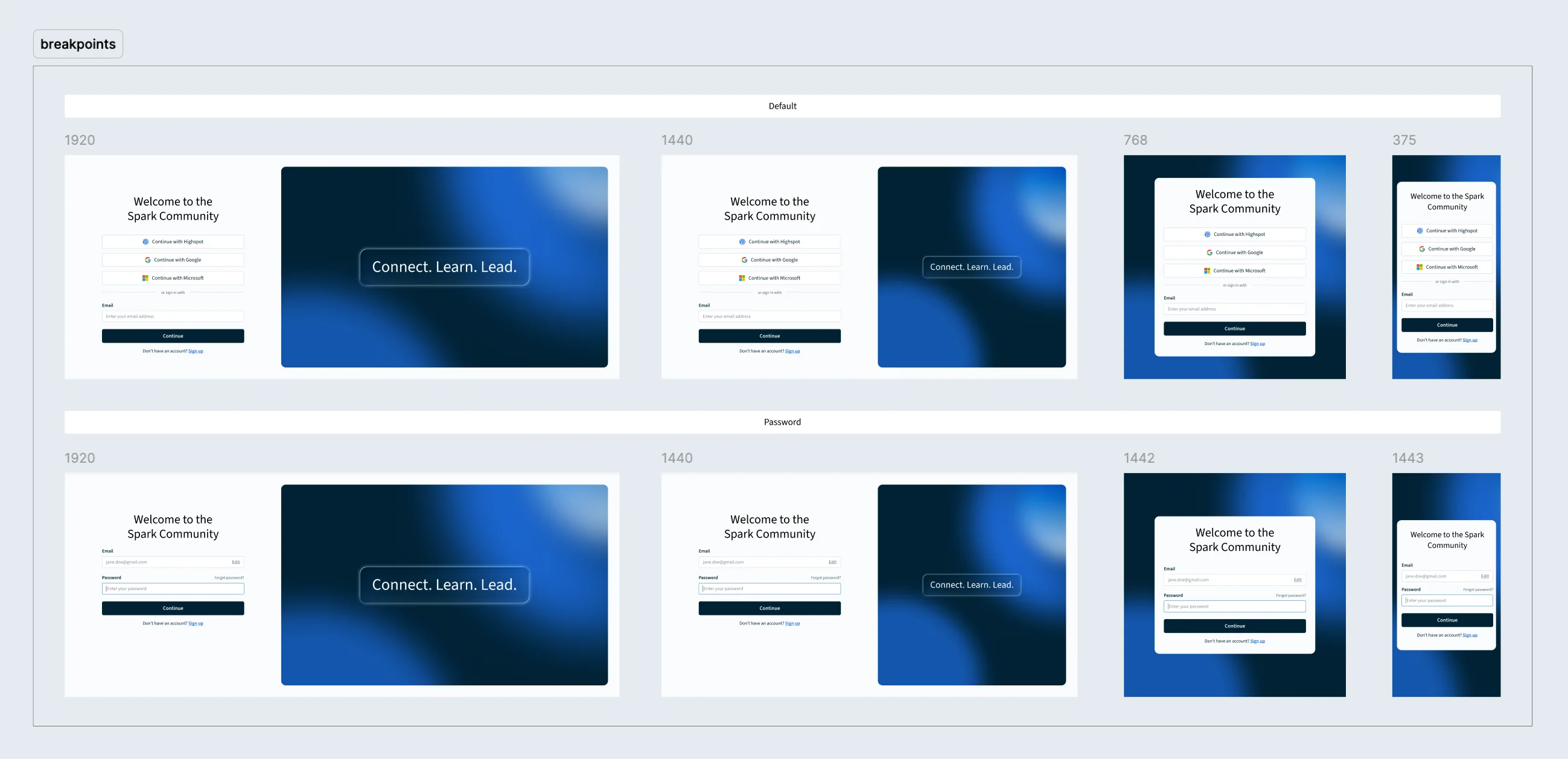
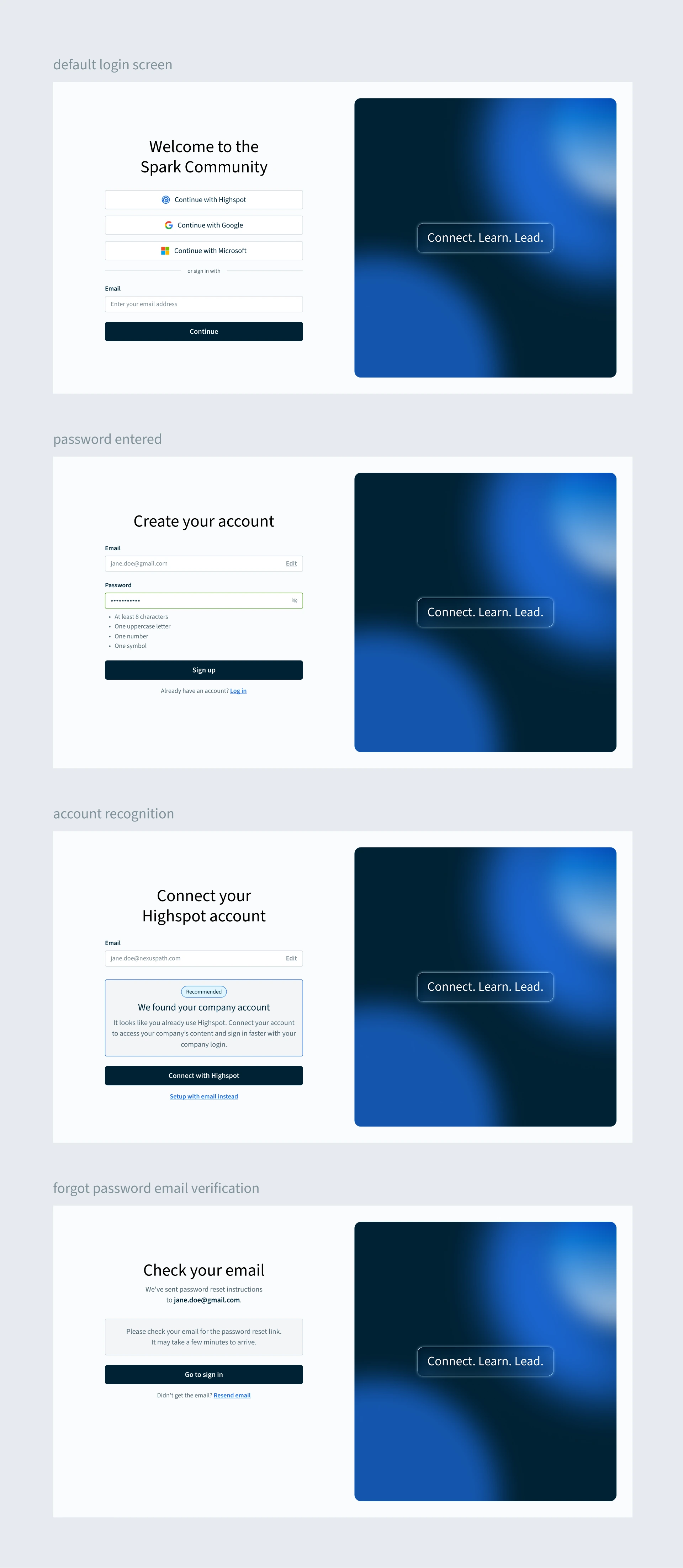
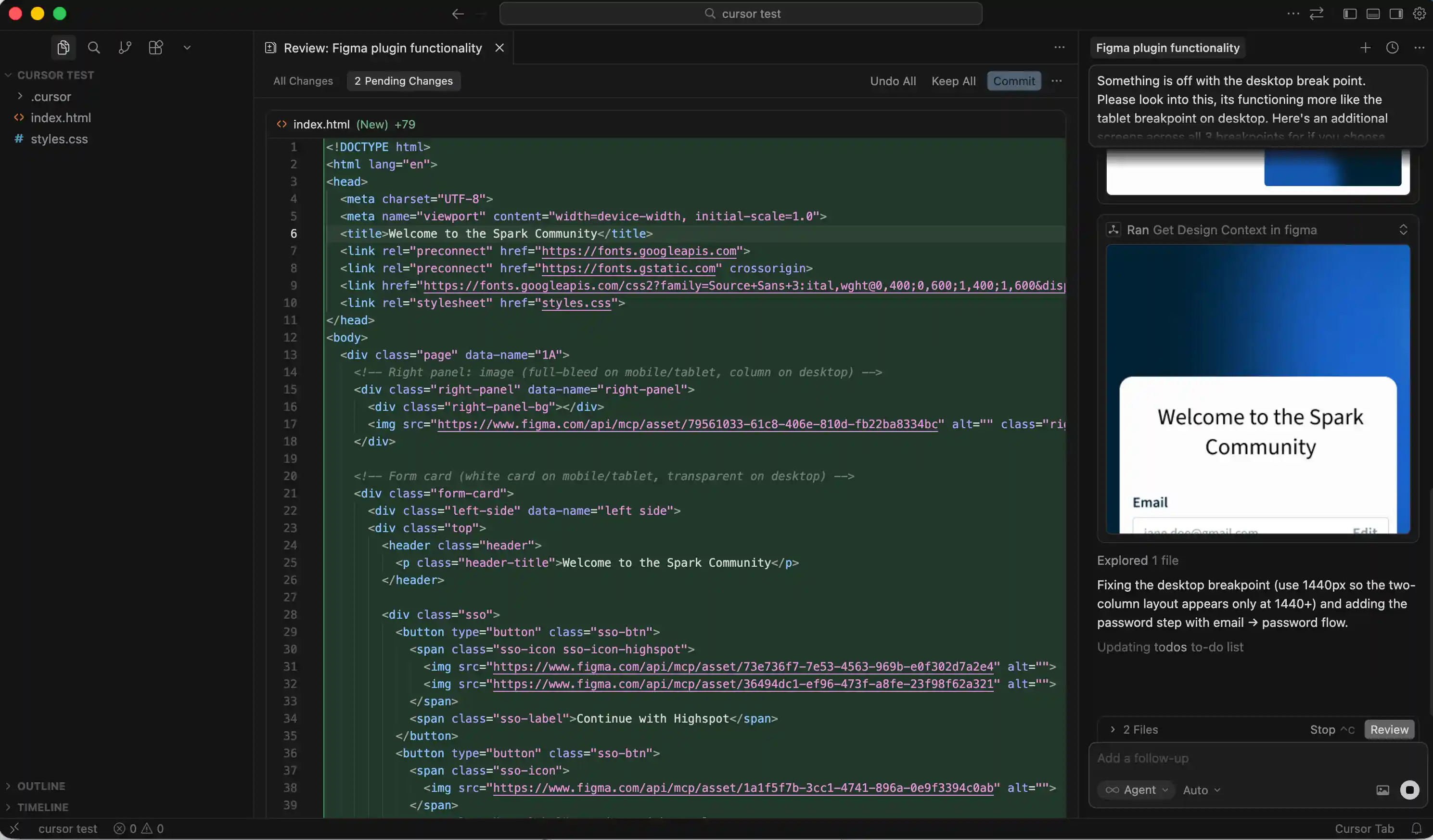
With flows mapped and wireframes validated, I designed every state of the new experience, from SSO login and email sign-up to password recovery and account management. The two-card modal was replaced with a single, intelligent entry point that routes users based on account type. I used ChatGPT to develop consistent, functional microcopy across the login flow and all email touchpoints, ensuring tone and clarity held across the full lifecycle. Cursor was used to prototype responsive breakpoints, streamlining developer handoff and ensuring precise implementation across screen sizes.
With flows mapped and wireframes validated, I designed every state of the new experience, from SSO login and email sign-up to password recovery and account management. The two-card modal was replaced with a single, intelligent entry point that routes users based on account type. I used ChatGPT to develop consistent, functional microcopy across the login flow and all email touchpoints, ensuring tone and clarity held across the full lifecycle. Cursor was used to prototype responsive breakpoints, streamlining developer handoff and ensuring precise implementation across screen sizes.


Email
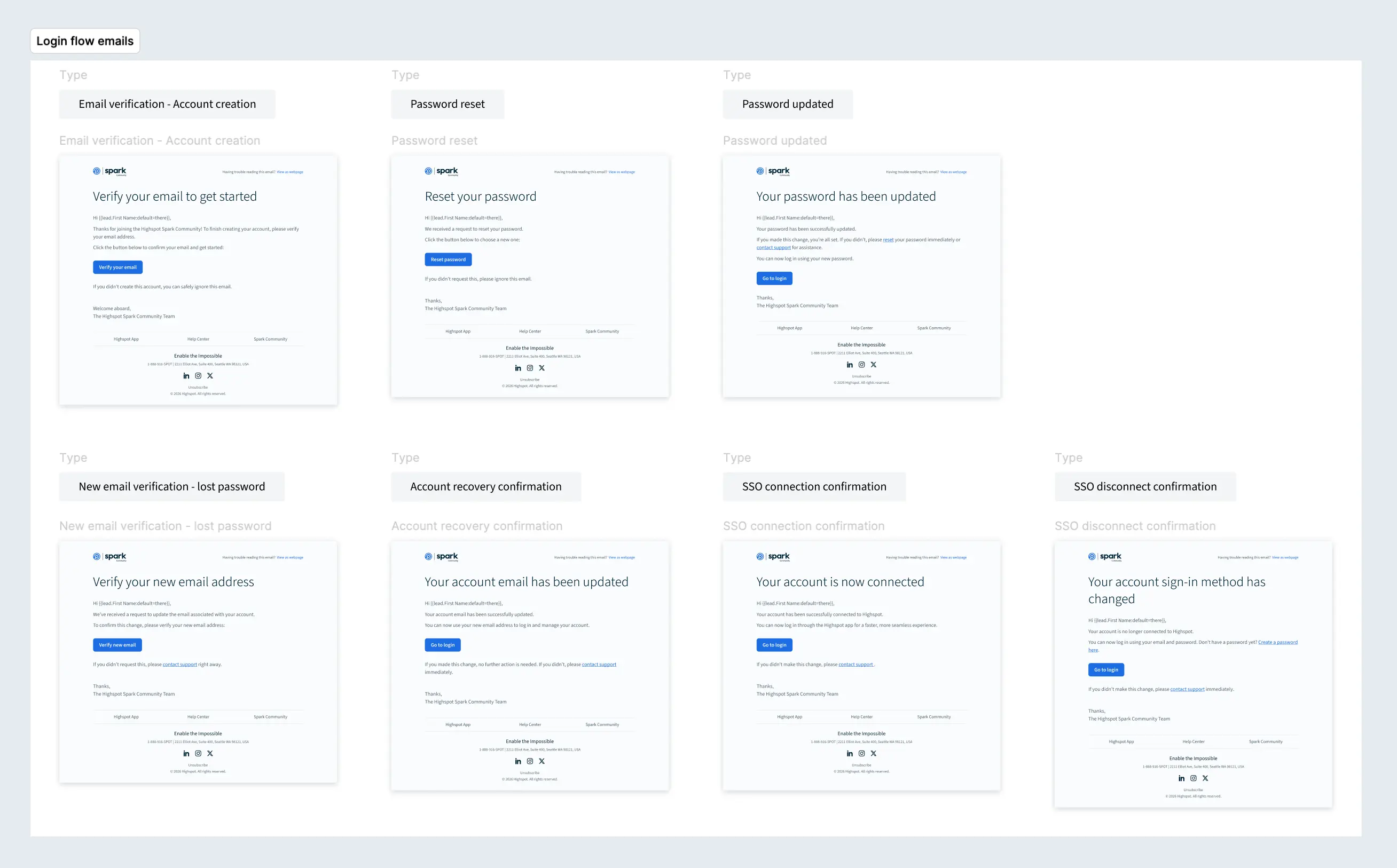
Email flows completed the full community onboarding lifecycle, covering registration confirmation, account setup guidance, and password recovery communications. Every touchpoint was designed within the same unified identity as the login experience, ensuring consistency from initial sign-up through ongoing account access.
Email flows completed the full community onboarding lifecycle, covering registration confirmation, account setup guidance, and password recovery communications. Every touchpoint was designed within the same unified identity as the login experience, ensuring consistency from initial sign-up through ongoing account access.
Results
The redesigned login and onboarding flow delivered faster, more intuitive access to the Highspot Community across all user types. By reducing friction at known pain points, the new experience decreased login errors and cut support email volume for the Community team. Email flows completed the full onboarding lifecycle, covering registration confirmation, account setup guidance, and password recovery, all within a unified identity consistent with the login experience.
More work

Community advocacy center
UI/UX design, art direction, ai-assisted design
GTM gap campaign
UI/UX design, art direction